SCAN SIMULATOR
Give signed or stamped PDFs a natural print-and-scan look
将本人拥有或获授权的签字、盖章 PDF 转换为自然的打印扫描效果,无需实体扫描仪。
Ideal for sending or archiving authorized signed agreements, stamped business documents, OCR test files, and design proofs.
适合将本人拥有或获授权的签字合同、盖章业务文件在发送或归档前生成自然的打印扫描风格,也适用于 OCR 测试与设计校验。
Only use documents you own or are authorized to process.
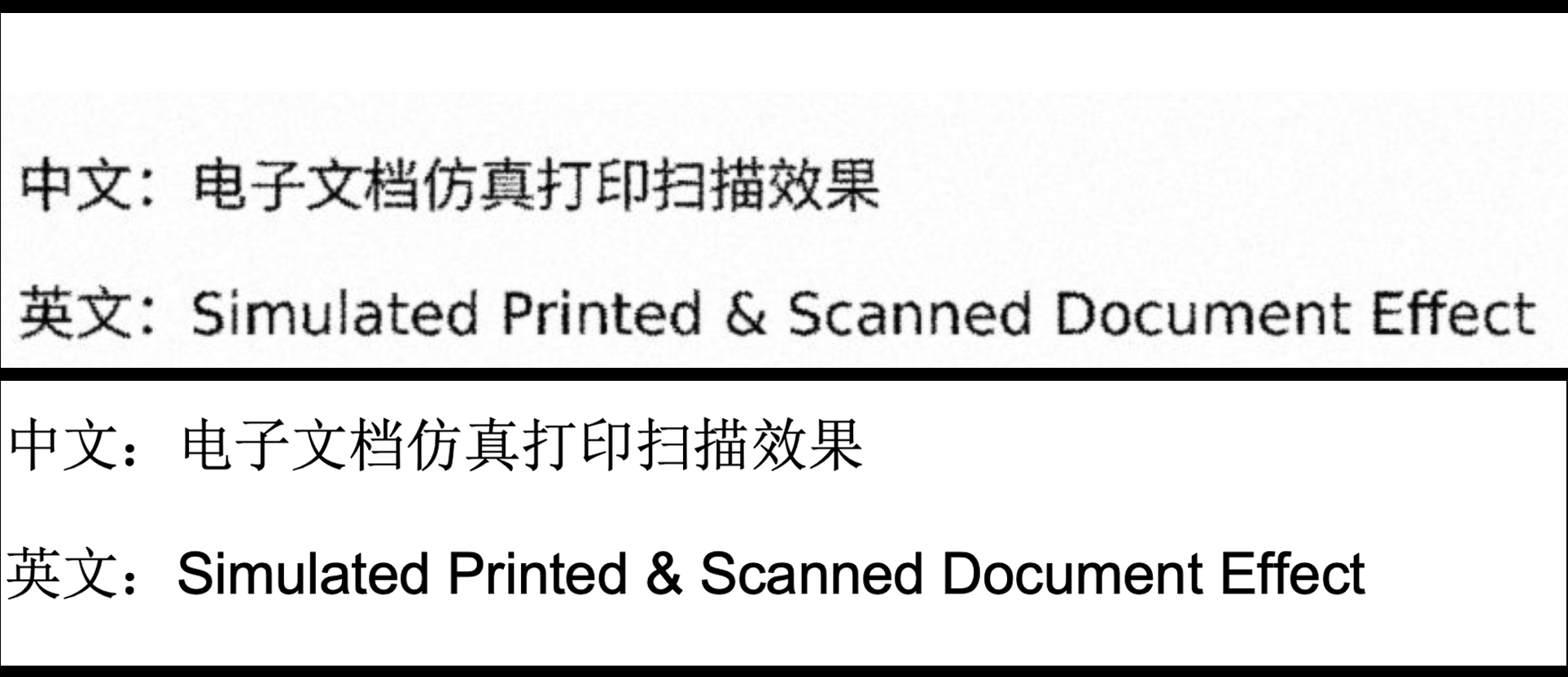
效果对比
Effect Comparison
30 次生成额度
30 PDF generations — US$0.99
购买时使用的邮箱将用于安全登录和查看额度。Paddle 会在结账页面处理付款与税费。
The email address used for purchase is also used for secure sign-in and checking your credit balance. Paddle handles payment processing and applicable taxes at checkout.
上传文件
Upload File
仿真PDF生成成功!
⬇ 下载仿真PDF
原始上传文件处理后删除 / Uploads deleted after processing
How to make an authorized PDF look printed and scanned
- Upload a PDF, DOCX, or XLSX file that you own or are authorized to process.
- Choose a natural daily-scan effect or a cleaner office-scan effect.
- Generate and download the simulated scanned PDF—no printer or scanner required.
Does ScanSim create or alter signatures or stamps?
No. ScanSim applies one visual print-and-scan treatment to the whole page. It does not create, replace, or edit a signature or stamp.
How long are documents kept?
Original uploads are deleted after processing. Generated files are automatically deleted within 24 hours.
How much does it cost?
US$0.99 buys 30 successful PDF generations. One completed PDF uses one credit, and credits do not expire.
法律警示
Legal Warning
本工具仅允许用户处理本人合法持有、拥有完整授权的文档,仅可用于个人合规学习、办公自用。严禁伪造他人手写签名、公章、证照、合同、票据、官方文件;严禁篡改、变造具有法律效力的文书用于虚假申报、欺诈、伪造凭证等违法活动。任何违规滥用行为产生的全部民事、行政、刑事责任,均由使用者本人独立全额承担,本平台不承担任何连带法律责任。使用者需自行遵守本人所在国家 / 地区全部电子签名、印章、文书相关法律法规。
This tool may only be used for documents that the user lawfully holds and is fully authorized to process, and only for compliant personal study or office use. Forging signatures, seals, certificates, contracts, bills, official files, or altering legally effective documents for false filing, fraud, or fabricated proof is strictly prohibited. All civil, administrative, and criminal liability arising from misuse shall be borne solely by the user. The platform assumes no joint legal responsibility. Users must comply with all applicable laws and regulations in their country or region regarding electronic signatures, seals, and documents.
原始上传文件在处理完成后删除,生成结果在24小时内自动删除。上传的文档不会被用于训练 AI 模型。
Original uploads are deleted after processing. Generated results are automatically deleted within 24 hours. Uploaded documents are not used to train AI models.
Original uploads are deleted after processing. Generated results are automatically deleted within 24 hours. Uploaded documents are not used to train AI models.